
Cartdini
Checkout fields
Ask what matters.
At checkout.
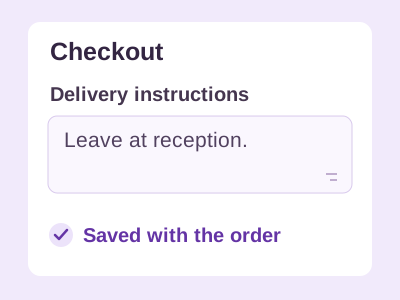
Add custom checkout questions and keep each answer with the WooCommerce order.
 Let’s talk
 THE WOOCOMMERCE COLLECTION
Collect the right checkout details, follow up on abandoned carts and set order rules that suit your business. Compare three focused plugins, each built for a different part of running your store.
Choose the task you need to solve.
Checkout fields
Add custom checkout questions and keep each answer with the WooCommerce order.

Cart recovery
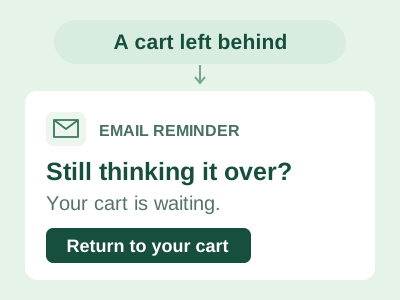
Send considerate WooCommerce recovery reminders through your store’s own email setup.

Order rules
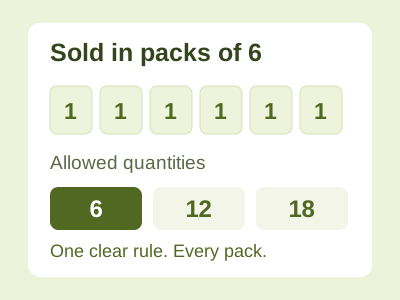
Set order limits, product quantities and pack sizes that make sense for your store.
Our own plugin collection, from A.M.E.X. Internet Marketing ltd. Product guides explain the editions; downloads, purchases and support are handled on each product’s website.
START WITH THE JOB
These tools solve different problems. Pick the one that addresses a real gap in your store, then test that change before adding another.
Scroll sideways to compare all columns.
| Your store needs to… | Start with | What Free covers | Check before you install |
|---|---|---|---|
| Ask for delivery instructions or another checkout detail | Cartdini | Custom fields, required answers and controls for displaying saved values in order details and emails. | Field types differ between Classic checkout and Checkout Blocks. Pro adds conditional questions. |
| Remind an opted-in shopper about an unfinished checkout | WakeMyCart | Three templates, a recovery sequence and up to three reminders per contact per UTC month. | Your store’s email setup or connected provider sends the messages. Its limits and charges still apply. |
| Set minimum orders, quantity limits or pack multiples | OrderFloor | Storewide limits, product quantity rules, pack multiples and testing unsaved settings. | Free counts variations separately under their parent rules. Pro adds independent variation rules and mixed packs. |
A PRACTICAL START
Confirm whether you use Classic checkout or Checkout Blocks. For example, Cartdini Free supports text, select and checkbox fields in both; textarea, email and telephone fields are available in Classic.
Compare Cartdini editions →A delivery-instructions field, one recovery reminder or a pack-size rule gives you a clear starting point. Make the wording helpful for customers and avoid asking for information you do not need.
See how cart recovery works →Use a staging store or test checkout. Try mobile layouts, coupons and variations; check saved answers, email delivery and customer-facing rule messages as relevant. Confirm current requirements on the product website.
Explore order limits and packs →BEFORE YOU CHOOSE
Cartdini, WakeMyCart and OrderFloor each have a Free edition. Pro features and availability vary. New Cartdini and WakeMyCart Pro purchases are currently closed; check their product websites for current availability. Plugins.shop itself has no checkout or download delivery.
Support depends on the plugin, feature and WooCommerce version. Cartdini supports selected field types in both Classic and Blocks, with additional version requirements for some Pro conditions. Review each product’s compatibility guidance and test your actual checkout, theme and extensions.
WakeMyCart sends through your configured WordPress email setup or a connected Resend provider. It does not include a shared sending allowance. You manage consent, sending configuration and reminder content; successful delivery or recovered sales are not guaranteed.
They serve different purposes: Cartdini collects answers, while OrderFloor validates order and quantity requirements. If you install both, test their behaviour together with your theme, payment methods and other extensions before changing the live store. This collection is not a guarantee of compatibility with every setup.
Open a product guide above and follow its official website link. Each product website provides its own current requirements, downloads, documentation, availability and support options.