
 FOR WOOCOMMERCE
WakeMyCart
Bring shoppers back. Thoughtfully.
WakeMyCart helps WooCommerce stores follow up on opted-in abandoned checkouts. Configure reminders, restore carts and review recovery activity inside WordPress.
Visit WakeMyCart Compare Free & ProDownloads, pricing & support at wakemycart.com
What WakeMyCart helps you do
Reminders from your own store
Send recovery emails using your WordPress email setup, including a configured SMTP plugin, or a connected Resend provider. WakeMyCart does not provide a shared email-sending allowance.
Set up recovery emailStart locally with Free
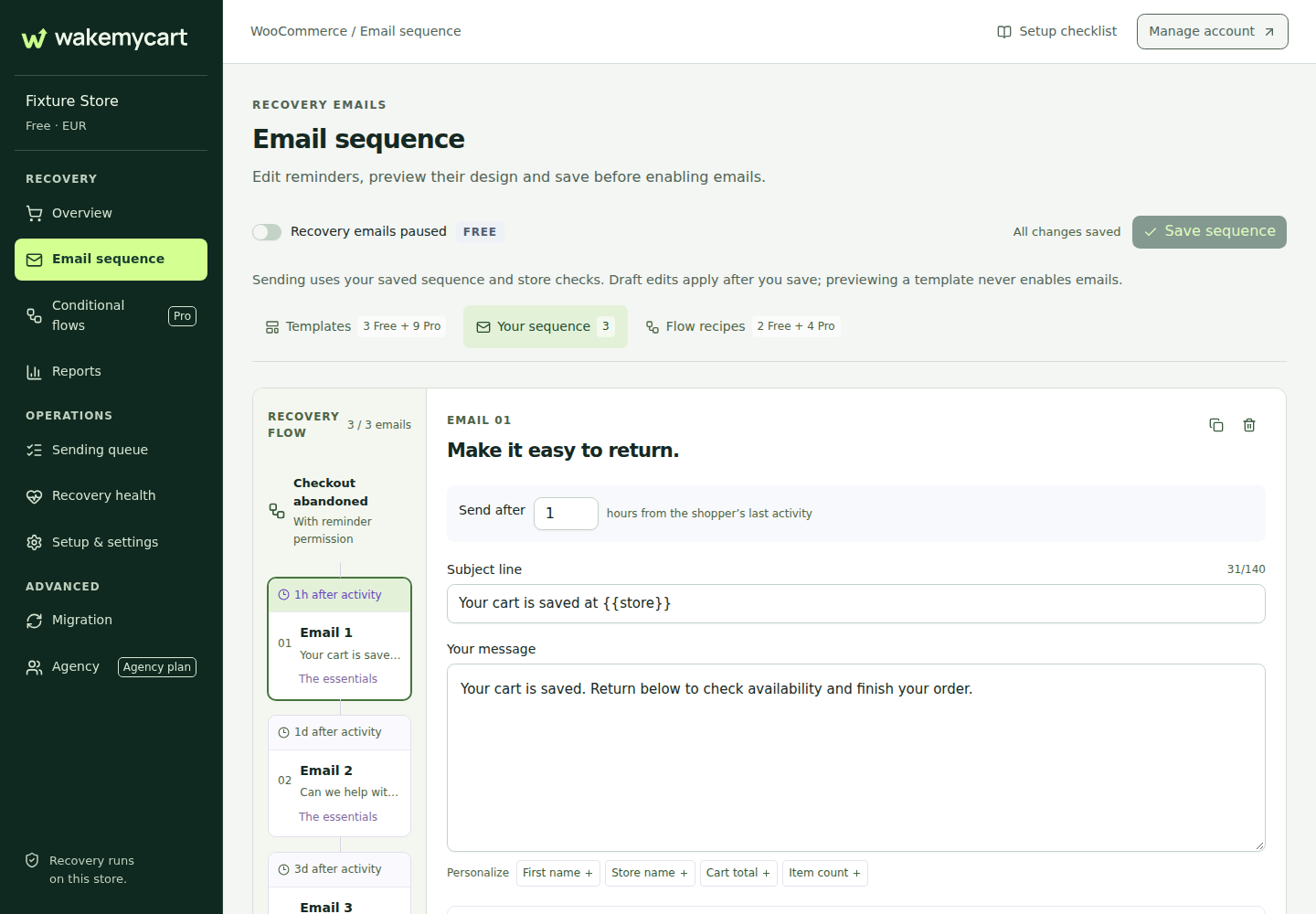
Use three email templates and a recovery sequence inside WordPress. Free has no monthly contact cap and does not require a WakeMyCart account.
Follow the quick startMore control with Pro
Build conditional flows, compare A/B variations and use margin safeguards. Pro also adds the full email designer and more detailed recovery reports.
Plan your remindersFree or Pro: choose by the work you need
WakeMyCart Free
Three templates, up to three reminders per contact per UTC month, cart recovery activity and local health checks. No WakeMyCart account or monthly contact allowance is required.
WakeMyCart Pro
Conditional workflows, A/B tests, margin safeguards, the full email designer, twelve templates and detailed reports. Up to five reminders per contact per UTC month. Requires the Free plugin and a valid Pro licence.
Free is available from the product website. New Pro purchases are currently closed; check the product website for availability.
Features vary by edition. Confirm the current requirements and edition details on the official WakeMyCart edition comparison before installing or buying.
A practical example
A shopper opts in, enters their email address and leaves checkout before paying. Your store can send a reminder with a link back to their cart. Start with a short, helpful message and test the return-to-cart journey before enabling a longer sequence.
A sensible first setup
Connect store email
Set up WordPress email or Resend and send a test message to your WordPress account email.
Review the customer journey
Check consent wording, reminder timing, message content and the cart recovery link on a test checkout.
Start simply
Enable a short sequence, check local health and delivery results, then adjust the messages using your own recovery activity.
What to check first
Requires WordPress 6.5+, WooCommerce 8.9+ and PHP 8.1+. Recovery data is managed in your WordPress store. Your chosen email provider handles delivery; its sending limits and any charges still apply. Delivery and recovered sales are not guaranteed.
Check WooCommerce compatibilityQuestions about WakeMyCart
Do I need a WakeMyCart account for Free?
No. Free works locally in your WordPress store without a WakeMyCart account or a monthly contact cap.
Who sends the emails?
Your store sends through its configured WordPress email setup or a connected Resend provider. You can use an SMTP plugin with WordPress. WakeMyCart is not an included hosted email service.
Does no contact cap mean unlimited reminders?
No. Free allows up to three reminders per contact per UTC month; Pro allows up to five. Your email provider also has its own sending limits.
Can I buy Pro here?
Plugins.shop is a portfolio, with no checkout or downloads. New WakeMyCart Pro purchases are currently closed. Visit wakemycart.com for current availability, downloads and support.
YOUR NEXT STEP
Put WakeMyCart to work.
Explore the latest features, find your edition or get WakeMyCart support on the product website.
Explore WakeMyCart ↗Product information reviewed 25 September 2026.