
 Newsletter Platform
Make your next email worth opening.
Create newsletters and welcome journeys in WordPress using your own mail provider.
Continue on newsletterplatform.com. Downloads and demos follow that product’s current terms.
Choose by the work
Start with what you need.
Newsletter Platform Free
You need ordinary campaigns and scheduling, ten designs, contacts/tags, one editable welcome marketing email with the basic coupon option, and consent/sending controls.
- Ten editable newsletter designs
- One editable welcome marketing email
- Contacts, tags and reviewed CSV
Newsletter Platform Pro
You need saved audience segments, subject A/B tests, multi-email welcome journeys, publisher or purchase follow-ups, recurring digests or independent campaign review.
- 72 additional designs and portable kits
- Recurring post-digest drafts
- Purchase audiences and three follow-up recipes
Current availability. Current matched Free/Pro release 1.0.0. Free is public and needs no account; annual Pro plans cover 1, 5 or 25 sites with protected manual packages. Local Pro features need no licence activation. The optional signed updater needs separate configuration; your own WordPress mail provider delivers campaigns.
Explore all 13 capabilities and their limits
Free includes
- Ten editable newsletter designsVisual editing, reusable sections, autosave, undo and revisions; use published posts and optional WooCommerce products.
- One editable welcome marketing emailOne welcome marketing email per eligible signup, including the basic welcome-coupon option. Confirmation and other operational/permission messages are separate.
- Contacts, tags and reviewed CSVReview contact imports, privacy requests, double opt-in, unsubscribe and suppression.
- Signup block, shortcode and optional formsOptional footer/exit forms; WooCommerce checkout/registration consent and a welcome coupon are available when configured.
- Campaigns, scheduling and sending controlsOrdinary newsletters and campaign scheduling, rate/frequency controls, uncertain-delivery review and optional basic click reports. Sending uses the merchant WordPress mail transport.
Pro adds
- 72 additional designs and portable kitsMore editable starting points and portable reusable design kits; Free already includes the editor and ten designs.
- Recurring post-digest draftsPrepare recurring post-digest drafts for review. Automatic scheduling requires a separately reviewed policy; creating a draft never authorizes sending.
- Purchase audiences and three follow-up recipesFour per-email purchase conditions with sample send/skip/hold review; not an arbitrary branching canvas.
- Campaign review and optional matched-order reportsExact-campaign approval by a different authorized existing reviewer, without granting editing or sending rights. Content, audience or sender changes require fresh approval. Optional journey/matched-order reports do not provide client invitations or a central fleet dashboard.
- Multi-email automated welcome journeysThe supported five-email recipe and subsequent welcome marketing messages. This is not a subscriber/volume quota or a charge for confirmation messages.
- Saved audiences with reviewed snapshotsCombine tags, signup source and supported purchase rules with AND/OR logic. Applying a segment saves the reviewed audience snapshot; later library changes do not silently change that campaign.
- Subject-line A/B testsHold the remaining audience while comparing two subjects, then commit a winner manually or by the configured observed-click rule. Clicks may include scanners; statistical significance is not claimed.
- Publisher and service follow-upsUse confirmed signup, exact signup source, newly added tags, explicit topics or time-since-confirmation triggers. Active consent is required and activation does not replay the historical audience.
An example workflow
Prepare a newsletter and one welcome marketing email in Free, including a basic welcome coupon if configured. Use Pro for the supported five-email journey; suppression and sending controls apply throughout.
Requirements, setup and important limits
Requirements and first steps
WordPress 6.5+ and PHP 8.0+. WooCommerce is optional for ordinary newsletters and required for store-specific features. Your configured WordPress mail provider supplies transport; network-wide multisite activation is not supported.
- Install and activate current Free. Open the five-step first-newsletter guide; no vendor account is required.
- Review the sender, transport, consent, unsubscribe and sending limits. Confirm the production site identity; staging must remain marked as a test environment.
- Choose one of the ten Free designs and save a draft. Add content and inspect desktop, mobile and plain-text previews.
- Send a deliberate test to an address you control, check the actual received message, then review the consented audience before enabling ordinary sending.
- Optional: install matching Pro after Free for saved audiences, additional designs and multi-email workflows. Configure any automation or independent approval explicitly.
Activation, updates and licences
Free works without a vendor account. The separately installed Pro companion needs no licence activation or update token for local features. Current annual plans provide eligible private manual downloads; its optional signed updater requires a separately configured publisher connection. Removing Pro holds dependent workflow sending while retaining authored work and consent protections.
Straight answers
Questions about Newsletter Platform
Is an email delivery service included?
No. Newsletter Platform uses your configured mail provider. Its charges, sending limits and delivery conditions are separate.
Do I need WooCommerce or a vendor account for Free?
No. Free newsletters work without either. Commerce-specific features require a supported WooCommerce setup.
What can I try in the live demo?
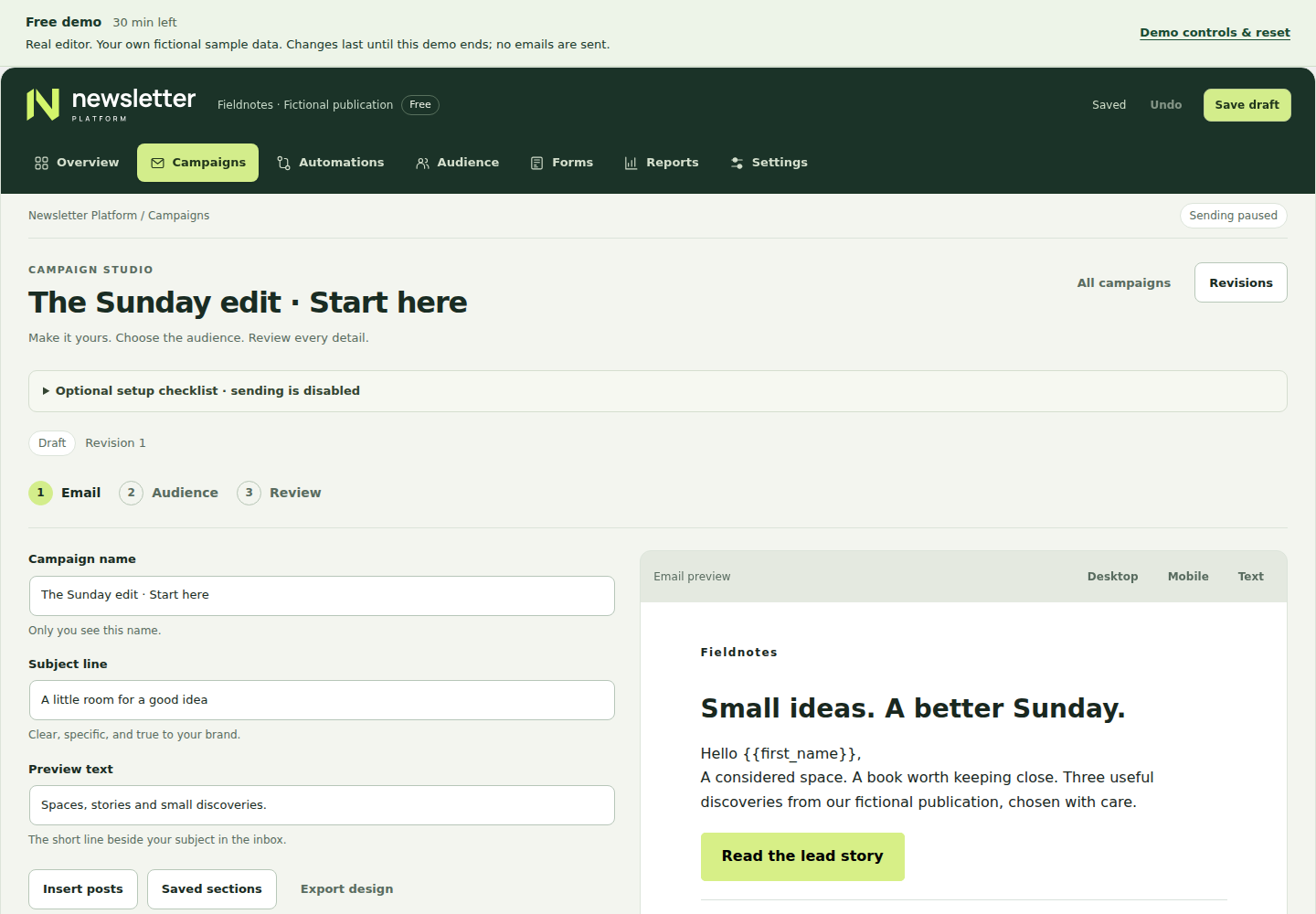
A temporary WordPress workspace contains fictional contacts. You can edit and save a draft; demo sending and external connections are disabled.
Go to the source
Your next step, in the right place.
Product details checked 3 November 2026. Interface images use demonstration data; their captions identify the source.
Different job? Another useful tool.
Related tasks, not a tested integration or a requirement to install more plugins.