
 Antivirus.ai
Turn security findings into a review plan.
Antivirus.ai is the home of Shieldlume Security, the WordPress plugin you install. Review local security findings before deciding what to investigate or repair.
Continue on antivirus.ai. Downloads and demos follow that product’s current terms.
Choose by the work
Start with what you need.
Antivirus.ai Free
You need local scans, daily checks, complete findings, guidance, filtered exports and the supported local protection controls without a publisher account.
- Manual and optional daily local scans
- Local request and endpoint controls
- Configured integrity and threat sources
Antivirus.ai Pro
You need reviewed supported file repairs, flexible schedules, saved investigations, client summaries or separately permitted connected services and AI explanations.
- Approved exact-file repair and recovery
- Changed-content and event checks
- Investigations, saved views and client summaries
Current availability. Shieldlume Security Free 1.1.7 is available from Antivirus.ai. Pro 1.1.5 remains a separate compatible add-on. Free local tools need no publisher account. Annual Pro plans provide eligible private downloads; Pro needs initial licence activation. Connected services and AI require separate permissions.
Explore all 9 capabilities and their limits
Free includes
- Manual and optional daily local scansBounded file/database findings, filters, exceptions and exports. Daily scanning is included in Free.
- Local request and endpoint controlsSix local request patterns, endpoint abuse/XML-RPC controls and optional sensitive-file checks; not a promise to stop every attack.
- Configured integrity and threat sourcesSupported integrity/vulnerability sources and optional host ClamAV checks up to 2 MiB; external features need their documented setup.
- Administrator login safeguardsAuthenticator/passkey two-factor options, optional browser approval/password-breach checks and local administrator-change alerts.
Pro adds
- Approved exact-file repair and recoveryReview eligible matching-version core or owner-confirmed WordPress.org file plans, protected recovery and current evidence before approving. Free retains read-only evidence; neither edition accepts replacement database-page content.
- Changed-content and event checksAdditional event-driven/changed-content work with execution history; Free already supports daily scans.
- Investigations, saved views and client summariesKeep review notes, next actions and follow-up dates; save up to ten finding-filter views per administrator/site. Counts-only client summaries preserve coverage and uncertainty.
- Separately permitted connected servicesOptional off-site audit and confirmed webhooks require eligible access and configuration. Hosted uptime and Google homepage reputation checks are unavailable in this release.
- Optional AI analysis with separate consentEligible subscriptions include optional explanations under the published allowance. Pairing and AI consent are separate choices; AI cannot authorize a repair.
An example workflow
Run a Free scan on a backed-up test copy, inspect the finding and its coverage, and decide what needs verification. Use Pro only when you need to review and approve a supported exact-file repair plan; AI never approves the change.
Requirements, setup and important limits
Requirements and first steps
WordPress 6.8+, PHP 8.3+ and a single-site installation. Start on a disposable or backed-up test copy; multisite is not supported.
- Get Shieldlume Security Free from the official download page after reviewing its test-copy requirements.
- In WordPress, use Plugins → Add New → Upload Plugin, install Free and activate it. Free local tools need no publisher account.
- Open the setup guide, review the scan scope and choose any optional sources or protections deliberately.
- Run a local scan, read its findings and coverage limits, and verify a finding before deciding on a change.
- Optional: install matching Pro alongside Free and activate an eligible licence once for this site. Pair connected services and permit AI separately only if wanted.
Activation, updates and licences
Free local tools need no publisher account. Pro requires an initial eligible licence activation for each site; ordinary expiry or a service outage preserves that local unlock, while Disconnect removes it. Connected services and AI need separate permission and eligible access.
Straight answers
Questions about Antivirus.ai
What is available to download or purchase?
Shieldlume Security Free 1.1.7 is available from Antivirus.ai. Pro 1.1.5 remains a separate compatible add-on. Free local tools need no publisher account. Annual Pro plans provide eligible private downloads; Pro needs initial licence activation. Connected services and AI require separate permissions.
What data does the public demo use?
A separate temporary WordPress demo is hosted through the Plugins.shop demo gateway. Use sample data and the demo’s published privacy rules; the catalogue itself does not create a workspace.
Where should I get the installer and support?
Use Antivirus.ai for the current release and support. This catalogue does not host installers or process purchases. Free and Pro can be separate plugins; follow the product’s installation instructions.
Go to the source
Your next step, in the right place.
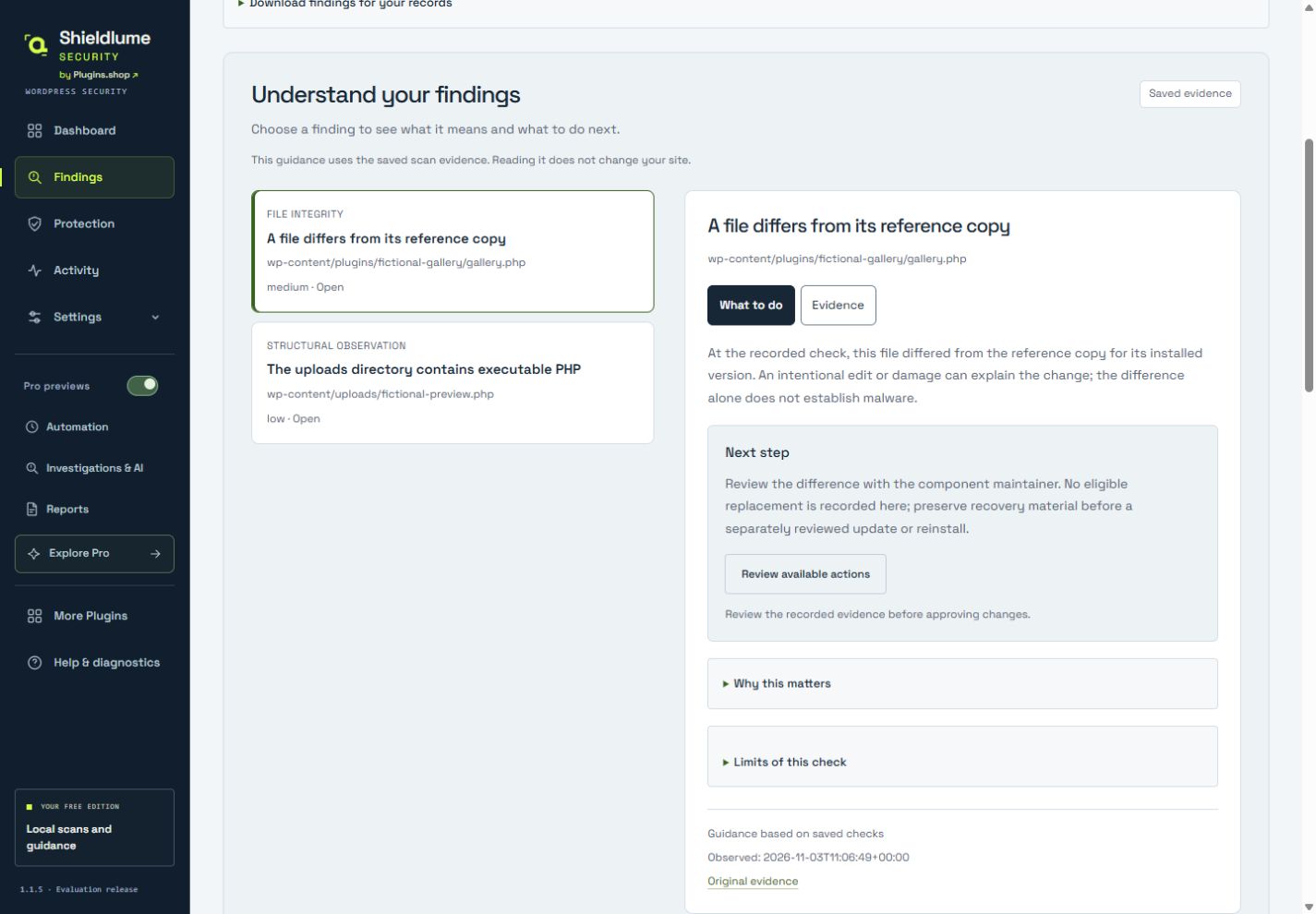
Release and availability checked 5 November 2026. Interface images use demonstration data; their captions identify the source.
Different job? Another useful tool.
Related tasks, not a tested integration or a requirement to install more plugins.