
WordPress · PRODUCT GUIDE
WordPress lead forms and local entry storagewith KillerConversions.com
KillerConversions builds lead forms and stores accepted entries in WordPress before sending notifications. Free includes basic field conditions and an entry inbox; Pro adds compound conditions, multi-step flows and queued delivery workflows.
A useful fit for: Businesses collecting project enquiries, service requests and other leads on their own WordPress site.
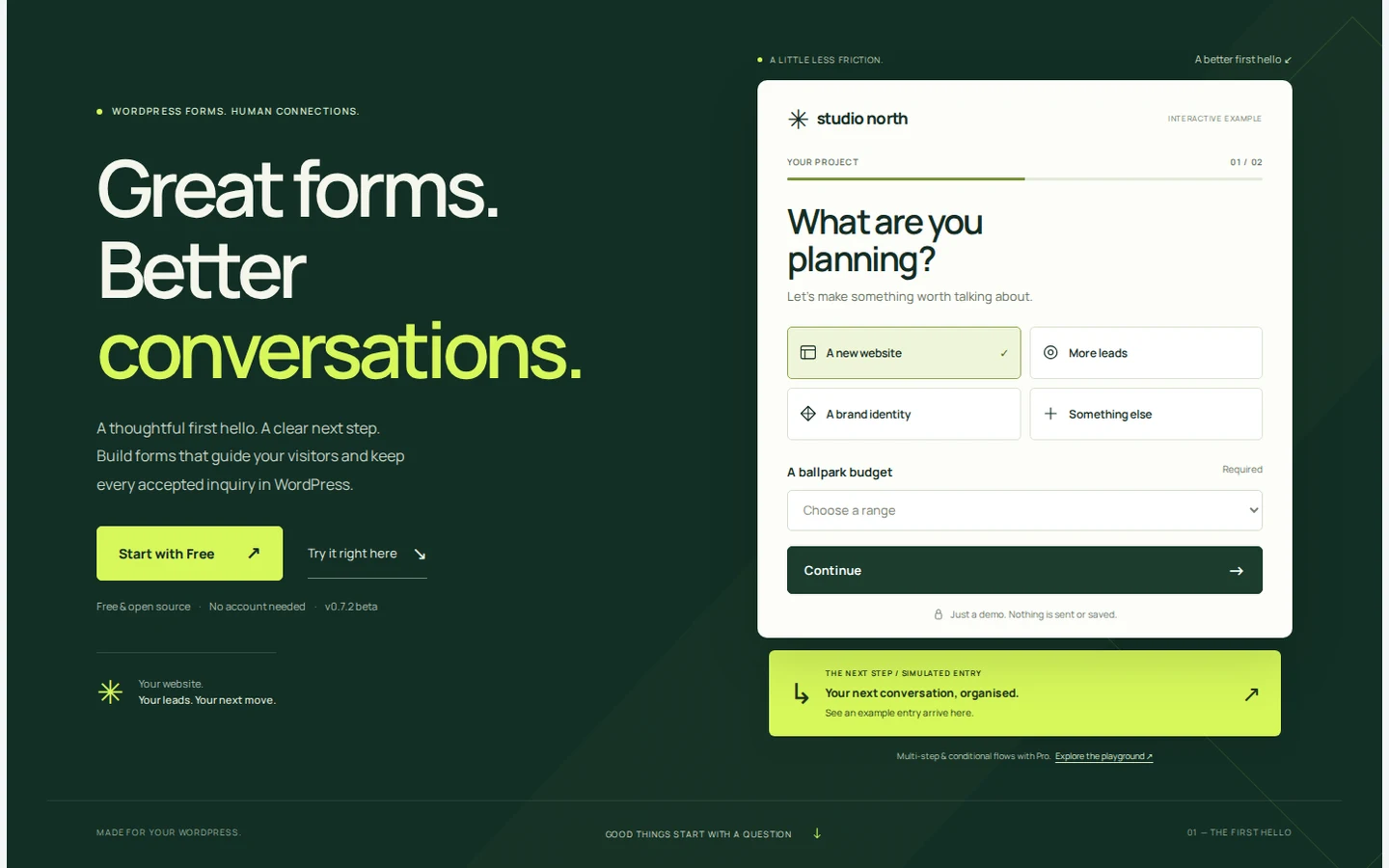
What KillerConversions helps you do
Build a focused form
Start with a template, edit alongside a live preview and check the mobile experience.
Keep accepted enquiries
Search, assign, star and export entries from the Free inbox. The entry remains when its email notification fails.
Manage the next step
Pro adds compound conditions, multiple steps and queued email or integrations, with diagnostics and reviewed retries.
Free and Pro: choose by the work
KillerConversions Free
Form building, basic field conditions, local accepted-entry storage, an entry inbox, CSV export and notification status.
KillerConversions Pro
Compound conditions and multi-step flows, queued email and integrations, delivery recovery and consented lead-use reporting. The current release is a beta for staging evaluation.
Edition details and availability were reviewed on 28 September 2026. Check KillerConversions.com for current downloads, prices and purchase terms. Purchases and accounts are handled on the brand website.
A practical example
A project form in Free can reveal a question from a simple field condition. Consider Pro when several answers determine the next step. Submit synthetic data on staging, confirm the entry was saved and test notification failures before relying on email alone.
A sensible first setup
- Choose the fewest questions needed to handle the enquiry.
- Preview desktop and mobile, then submit synthetic data on staging.
- Confirm entry storage, email status, retention and any Pro delivery or retry settings.
Questions about KillerConversions
What happens if a notification email fails?
The form saves an accepted entry in WordPress first. Pro also provides queued delivery and recovery workflows; inspect the stored entry and delivery status.
Does the website playground send a real enquiry?
No. It is a simulation whose example entries stay in the browser. Test the installed plugin separately with synthetic data before collecting real leads.
Where should I get the current installer and support?
Use KillerConversions.com for the current release, requirements and support options. This guide helps you understand the product; it does not host installers or process purchases.
Continue on the official website
Read the product’s own instructions before choosing an edition or changing a site.