
 FOR WOOCOMMERCE
Cartdini
Ask what matters. At checkout.
Cartdini adds custom checkout fields to WooCommerce Classic and Checkout Blocks. Collect delivery instructions, gift notes and other order details without code.
Visit Cartdini Compare Free & ProDownloads, pricing & support at cartdini.com
What Cartdini helps you do
The right questions
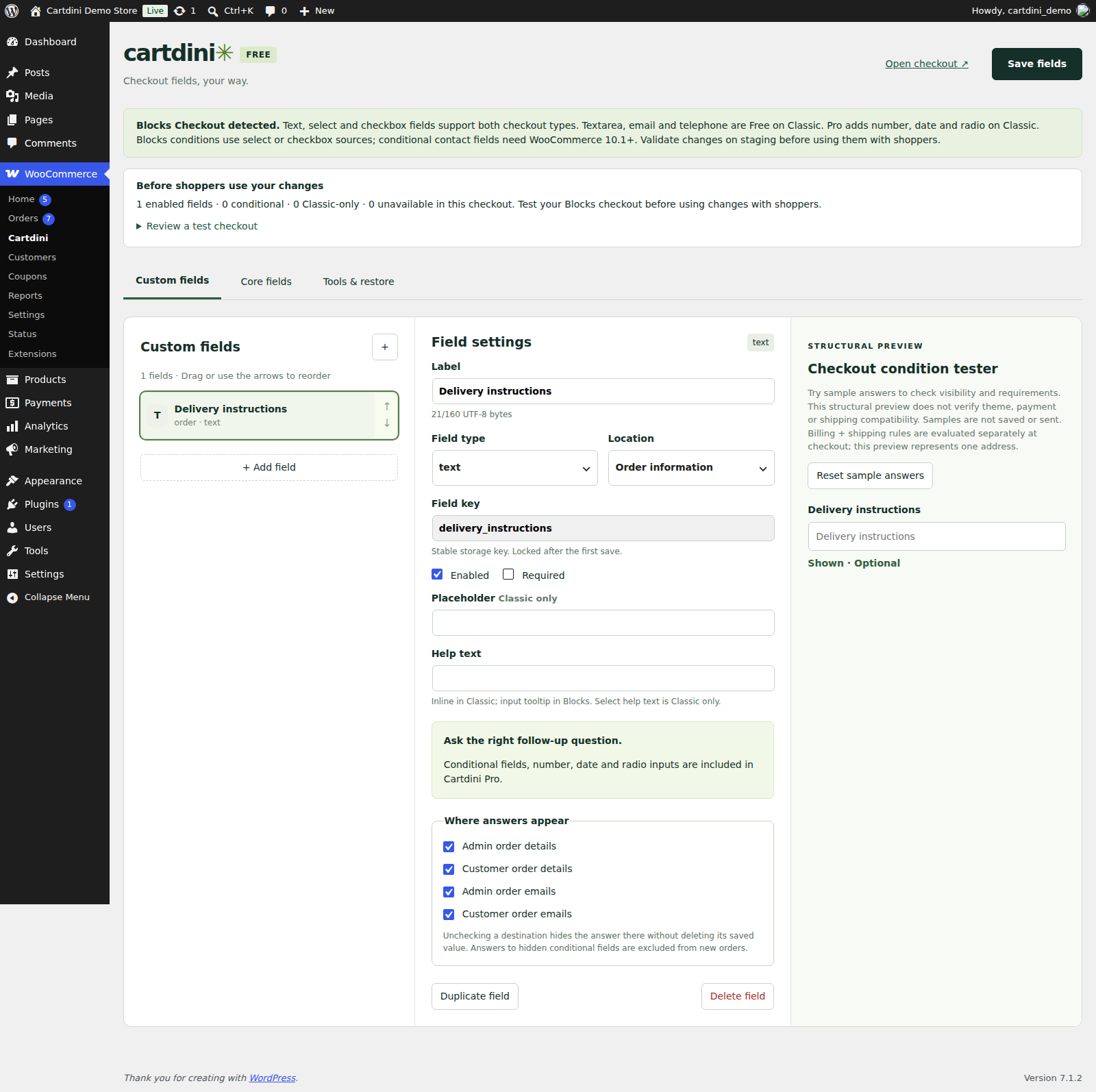
Add text, select and checkbox fields in Classic checkout and Checkout Blocks. Classic also supports textarea, email and telephone fields.
Add your first fieldAnswers stay with the order
Choose field order, required answers and where values appear in order details and emails. Collect only the information you need to fulfil an order.
Check Blocks field supportConditions for specific orders
Pro adds guided recipes and grouped conditions, including product and final-total rules. Test a condition and review configuration transfers before applying them.
Set up conditional fieldsFree or Pro: choose by the work you need
Cartdini Free
Custom text, select and checkbox fields for Classic and Blocks; textarea, email and telephone fields for Classic. Field ordering, required answers and order/email display controls are included.
Cartdini Pro
Guided recipes, groups of up to five AND/OR conditions, product and final-total rules, a condition tester and reviewed configuration transfers. Installed checkout features do not depend on subscription status.
Free is available from the product website. New Pro purchases are currently closed; check the product website for availability.
Features vary by edition. Confirm the current requirements and edition details on the official Cartdini edition comparison before installing or buying.
A practical example
Add a “Delivery instructions” text field to ask where an order should be left. Keep it optional, then choose whether the answer appears in the order details and emails. With Pro, use conditions to ask a question only for the orders that need it.
A sensible first setup
Choose your checkout
Confirm whether your store uses Classic checkout or Checkout Blocks, then select a supported field type.
Add one useful question
Set a clear label, decide whether the answer is required and choose where order answers appear.
Place a test order
Check the field on desktop and mobile, submit an order and confirm the answer appears only where you intended.
What to check first
Requires WordPress 6.7+, WooCommerce 9.9+ and PHP 8.0+. Product and final-total conditions, and conditional contact fields, in Checkout Blocks require WooCommerce 10.1+. Available field types differ between Classic and Blocks. Cartdini adds fields; it does not override existing Blocks fields, add surcharges or change payment methods.
Check checkout compatibilityQuestions about Cartdini
Does Cartdini work with Checkout Blocks?
Yes. Free supports text, select and checkbox fields in Blocks. Classic checkout also supports textarea, email and telephone. Check the current compatibility guide for your store.
Can I make a field required?
Yes. Free includes required-answer settings as well as controls for showing saved answers in order details and emails.
Can a question depend on a product or order total?
Yes, with Pro conditions. Product and final-total conditions in Checkout Blocks require WooCommerce 10.1 or later.
Where do I get the plugin or support?
Visit cartdini.com for Free downloads, documentation and support. New Pro purchases are currently closed. Plugins.shop is a portfolio and does not process purchases.
YOUR NEXT STEP
Put Cartdini to work.
Explore the latest features, find your edition or get Cartdini support on the product website.
Explore Cartdini ↗Product information reviewed 25 September 2026.